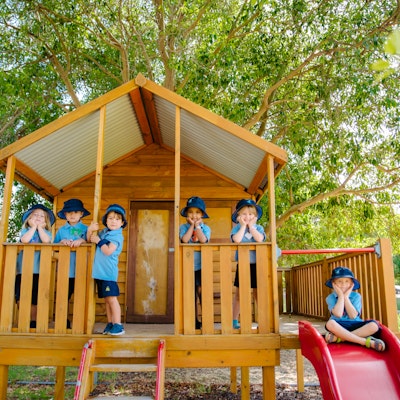
Welcome to Maylands Peninsula Primary School Kindergarten
We hope that this information can answer any queries you may have and outline some of the policies and procedures at our Kindy.
Our program is designed to cater for the development of the whole child, which includes the social, emotional, physical, intellectual, and creative developmental areas. These developmental areas are taught through a variety of themes to develop skills, attitudes, and values. Themes enable learning to be more meaningful to children, and each program is centred on play, which is essential to children's learning. Activities are set up in a way that encourages children to become independent.
Language is the key to all learning. All children will be encouraged to talk to each other, staff, parents/caregivers, and visitors, and will also be encouraged to express their feelings and needs. Stories every day at home and school provide a range of experiences to extend language skills as well as promote and develop listening skills. While shopping or in the car it is often helpful to talk about signs and numbers in the environment, the time, days of the week etc. Encouragement should always be given to children attempting to read and write. They don't have to get it right; we just want them to have a go when they are ready.
We employ Diana Rigg's Pre-Literacy Program as part of the Whole School Literacy Plan to facilitate language growth.
Transition to Kindy
Midvale Hub Parenting Service offers parent workshops for all parents/caregivers of children starting Kindy in 2026.
Contact Midvale Hub Parenting if you require any information regarding future workshops that may be available on 9290 6827, or email
Kindy Days
Each Kindy student attends 5 days per fortnight. Two days one week and three days the alternating week. Each term has 10 weeks with 2 weeks holiday in between.
Kindy A, C, and Kindy E
Monday, Wednesday and Thursday (odd weeks).
Monday and Thursday (even weeks).
Kindy B, D, and Kindy F
Tuesday and Friday (odd weeks).
Tuesday, Wednesday, and Friday (even weeks).
More detailed information about term dates is in Parent Information
Kindy Bell Times
Arrival Time
8.45am
Parent interaction in classroom
8.45 - 9.00am
Parents leave
9.00am (at class signal)
End of day
2.50pm (except Tuesday)
Tuesday end of day
2.25pm due to early close for staff meetings
 Compass
 Compass
Over the coming months we are transitioning from Connect to Compass to provide a more streamlined, all-in-one platform for managing your child's learning, attendance, and communication with teachers. Compass offers a modern app and web interface with more features and easier access.
To get started with Compass, download the App via the  and
and 
Using Compass in the future:
- View up-to-date class and school attendance information
- Enter upcoming or past absences for your child
- Update your registered email and mobile number (used for SMS alerts)
- Access information regarding upcoming events, excursions, incursions, and news
- Communicate with your child's teachers
- Access your child's academic progress and school reports.
To learn more: Compass Guide
 Connect

The MPPS Parent Space on Connect is our current communication platform for school updates, P&C news, and important documents. Some teachers also use Connect to communicate with families.
Student Reports are available on Connect. If you aren't receiving notices or have forgotten your login, please reset your password or contact the school.
We encourage families to download both the Connect app and the Compass app. As we transition to Compass, parents can now use the Compass app to record student attendance and submit absence notes.
This transition to Compass is currently underway, and we will share further updates as new features become available.


 Qkr!
Qkr!

Qkr! app is the preferred method for parents/caregivers to provide consent and payment for all school activities, including excursions, camp, incursions, swimming and Edu-dance.
The P&C also use Qkr as their only way to place canteen and uniform shop orders or buy raffle tickets and donate to fundraising events.
Qkr payments are charged to your credit or debit card. Every student needs at least one parent/caregiver to download and use the Qkr app. Help us be a cashless school and reduce our paper by using Qkr.
Please download Qkr and use the Parent help card to set up Qkr or visit the school Administration.

Personal Items Lists
MPPS use Campion as our Personal Items lists supplier.
Use code JXQQ to access Maylands Peninsula PS booklists Campion
Parents/Caregivers are able to purchase personal items from any supplier; however the items listed are the quality and type preferred to be used in the classroom. Most Kindy personal items such as pencils, crayons, glue sticks are shared, they do not need to be individually named.

Outside School Hours Care (OSHC)

We're proud to partner with TheirCare to provide high-quality Outside School Hours Care (OSHC) for our school community.
TheirCare offers a safe, inclusive, and engaging environment where children can build friendships, develop life skills, and grow in confidence and creativity through play-based programs.
Please take a moment to view their Welcome Video and read the Parent Handbook for more information.
Eligible families may receive up to 90% off session fees through the Child Care Subsidy.
Service Hours at Maylands Peninsula Primary School
- Before School Care: 6:30AM – 8:30AM
- After School Care: 2:50PM – 6:00PM
- Pupil Free Day / Holiday Program: 6:30AM – 6:00PM
The following providers also provide out of school hours care for our students.
Maylands Out of School Care
5 Richard Street, Maylands 0455 661 337 or email maylands@bayswaterchildcare.com.au
KidsCare Out of School Care
88 Sussex St, Maylands 0401 825 041 or 9271 8088 or email info@kidscarepre-kindyandoosh.com.au